---
title: "Tip of the Week: Clean Your Laptop with These Helpful Tips"
description: "Follow these steps to safely clean your laptop."
url: "https://www.omegatechnicalsolutions.com/blog/tip-of-the-week-clean-your-laptop-with-these-helpful-tips"
date: "2026-06-17T02:34:13+00:00"
language: "en-GB"
---
## Omega Technical Solutions Blog
Omega Technical Solutions has been serving the Haymarket area since 2007, providing IT Support such as technical helpdesk support, computer support, and consulting to small and medium-sized businesses.
[ Categories ](https://www.omegatechnicalsolutions.com/blog/categories "Categories")
[ Tags ](https://www.omegatechnicalsolutions.com/blog/tags "Tags")
[ Categories: All Categories ](https://www.omegatechnicalsolutions.com/javascript:void(0); "Categories")
Search...Suggested keywords
[ x ](https://www.omegatechnicalsolutions.com/javascript:void(0);)
# Tip of the Week: Clean Your Laptop with These Helpful Tips
[Omega Technical Solutions Blog](https://www.omegatechnicalsolutions.com/blog/categories/blog) [Tip of the Week](https://www.omegatechnicalsolutions.com/blog/categories/tip-of-the-week)
[Steven Holmes](https://www.omegatechnicalsolutions.com/blog/blogger/steven-holmes)
Wednesday, 17 April 2024
[ 0 Comments ](https://www.omegatechnicalsolutions.com/blog/tip-of-the-week-clean-your-laptop-with-these-helpful-tips#comments)
[  ](//www.omegatechnicalsolutions.com/images/easyblog_shared/April_2024/04-17-24/CleanLaptop_340902103_400.jpg "Tip of the Week: Clean Your Laptop with These Helpful Tips")
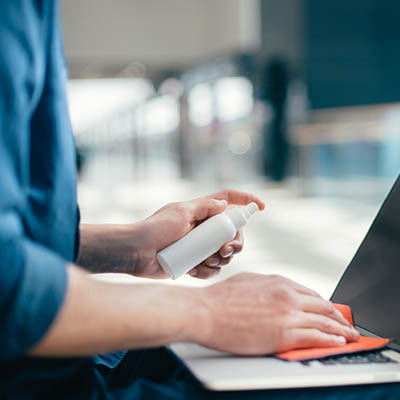
It might not be as obvious as with a desktop computer, with their visible fans and external components, but laptops also must be kept clean and tidy, free of dust and debris. There is a bit of a different process to keeping a laptop clean compared to a traditional desktop, though, so today, we want to highlight these differences and walk you through how it’s done.
**Quickly, before we begin:** make sure you have backed up your data, turned off the device, and unplugged it. We’ll mostly cover safe ways to clean a laptop, but you also want to minimize the chances of an accident. These measures will help to mitigate that risk.
## Clean Your Laptop’s Chassis
- Start with a microfiber cloth, slightly dampened with water or a laptop cleaning fluid, and wipe down the exterior shell of your device. Exercise caution around the ports and vents to keep moisture from getting inside the machine.
- Clean your vents and ports with a can of compressed air, using an angle to ensure that you aren’t pushing debris even further inside the device.
- If your laptop allows you to do so, you can gently open the back of the device to clean out vents, ports, and fans with compressed air. Keep warranties and documentation in mind, though; you wouldn’t want to void a warranty or break your device in the process.
## Clean Your Laptop’s Keyboard
- Lift your laptop and, while it’s upside-down, carefully shake it to rid the keyboard of any loose crumbs and debris.
- Wipe down the keyboard with a microfiber cloth, using compressed air to clean out anything that cannot be collected in this way.
- If your laptop has removable keycaps, remove and replace one key at a time to make sure that you aren’t putting them back in the wrong places. If you don’t know if your keycaps are removable, err on the side of caution and don’t try to remove them.
## Clean Your Laptop’s Screen
- With a microfiber cloth, wipe down the screen, dampening it a bit if it’s needed.
- If dampening the cloth is necessary, use water, a 70% isopropyl alcohol solution, or a screen cleaning solution. Steer clear of any other types of household cleaners.
- Avoid streaks by using a slow, circular motion.
Did you find these tips helpful? Be sure to keep an eye on our blog for even more great tips in the future.
[ ](https://www.omegatechnicalsolutions.com/javascript:void(0);) [ ](https://www.omegatechnicalsolutions.com/javascript:void(0);) [ ](https://www.omegatechnicalsolutions.com/javascript:void(0);)
Tags:
[Computer](https://www.omegatechnicalsolutions.com/blog/tags/computer) [User Tips](https://www.omegatechnicalsolutions.com/blog/tags/user-tips) [Tip of the Week](https://www.omegatechnicalsolutions.com/blog/tags/tip-of-the-week)
[ Hardware Prices Continue to Climb ](https://www.omegatechnicalsolutions.com/newsletter-content/hardware-prices-continue-to-climb)
[ How Has Ransomware Evolved Over the Years? ](https://www.omegatechnicalsolutions.com/blog/how-has-ransomware-evolved-over-the-years)
About the author
[  ](https://www.omegatechnicalsolutions.com/blog/blogger/steven-holmes)
[Steven Holmes](https://www.omegatechnicalsolutions.com/blog/blogger/steven-holmes)
[ ](https://www.omegatechnicalsolutions.com/javascript:void(0); "Subscribe to updates from author") [ ](https://www.omegatechnicalsolutions.com/javascript:void(0);) [ ](https://www.omegatechnicalsolutions.com/blog/blogger/steven-holmes)
Mr. Holmes is responsible for the structure, strategy and execution of Omega Technical Solutions’ team. He also has an extensive background in designing, engineering, and securing Enterprise and Data Center networks.
Author's recent posts
[More posts from author](https://www.omegatechnicalsolutions.com/blog/blogger/steven-holmes)
[ Saturday, 27 June 2026 How to Actually Make a Quiet Day Work for Your Business ](https://www.omegatechnicalsolutions.com/newsletter-content/how-to-actually-make-a-quiet-day-work-for-your-business)
[ Thursday, 25 June 2026 How to Mix Cloud and Office Servers Without Making Your Employees Miserable ](https://www.omegatechnicalsolutions.com/newsletter-content/how-to-mix-cloud-and-office-servers-without-making-your-employees-miserable)
[ Saturday, 20 June 2026 Why Your Tech Strategy Should Focus on Capability, Not Replacement ](https://www.omegatechnicalsolutions.com/newsletter-content/why-your-tech-strategy-should-focus-on-capability-not-replacement)
Comments
No comments made yet. Be the first to submit a comment
**** Already Registered? [Login Here](https://www.omegatechnicalsolutions.com/component/users/login?return=aHR0cHM6Ly93d3cub21lZ2F0ZWNobmljYWxzb2x1dGlvbnMuY29tL2Jsb2cvdGlwLW9mLXRoZS13ZWVrLWNsZWFuLXlvdXItbGFwdG9wLXdpdGgtdGhlc2UtaGVscGZ1bC10aXBz&Itemid=101)
Wednesday, 17 June 2026
Subscribe to the blog (Please fill in your email address to subscribe to updates from this post.)
**Captcha Image**
## Schema
```json
{
"@context": "https://schema.org",
"@type": "BreadcrumbList",
"itemListElement": [
{
"@type": "ListItem",
"position": 1,
"name": "Home",
"item": "https://www.omegatechnicalsolutions.com"
},
{
"@type": "ListItem",
"position": 2,
"name": "Blog",
"item": "https://www.omegatechnicalsolutions.com/blog"
},
{
"@type": "ListItem",
"position": 3,
"name": "Steven Holmes",
"item": "https://www.omegatechnicalsolutions.com/blog/blogger/steven-holmes"
},
{
"@type": "ListItem",
"position": 4,
"name": "Tip of the Week: Clean Your Laptop with These Helpful Tips",
"item": "https://www.omegatechnicalsolutions.com/blog/tip-of-the-week-clean-your-laptop-with-these-helpful-tips"
}
]
}
```