---
title: "Tip of the Week: How to Create Multiple Google Calendars"
description: "For this week’s tip we tell you how to build multiple Google calendar profiles."
url: "https://www.omegatechnicalsolutions.com/blog/tip-of-the-week-how-to-create-multiple-google-calendars"
date: "2026-06-16T17:41:41+00:00"
language: "en-GB"
---
## Omega Technical Solutions Blog
Omega Technical Solutions has been serving the Haymarket area since 2007, providing IT Support such as technical helpdesk support, computer support, and consulting to small and medium-sized businesses.
[ Categories ](https://www.omegatechnicalsolutions.com/blog/categories "Categories")
[ Tags ](https://www.omegatechnicalsolutions.com/blog/tags "Tags")
[ Categories: All Categories ](https://www.omegatechnicalsolutions.com/javascript:void(0); "Categories")
Search...Suggested keywords
[ x ](https://www.omegatechnicalsolutions.com/javascript:void(0);)
# Tip of the Week: How to Create Multiple Google Calendars
[Omega Technical Solutions Blog](https://www.omegatechnicalsolutions.com/blog/categories/blog) [Tip of the Week](https://www.omegatechnicalsolutions.com/blog/categories/tip-of-the-week)
[Steven Holmes](https://www.omegatechnicalsolutions.com/blog/blogger/steven-holmes)
Monday, 03 April 2023
[ 0 Comments ](https://www.omegatechnicalsolutions.com/blog/tip-of-the-week-how-to-create-multiple-google-calendars#comments)
[  ](//www.omegatechnicalsolutions.com/images/easyblog_shared/April_2023/04-03-23/digitalCalendar_413221222_400.jpg "Tip of the Week: How to Create Multiple Google Calendars")
Your Google Calendar can be a gateway to productivity when it’s set up appropriately, and one way you can do so is to implement additional calendars to help you manage your day-to-day obligations. Let’s go over why you might consider using multiple Google calendars and how you can set them all up.
## Why Use Multiple Calendars?
Depending on your type of work, you might have multiple streams of tasks going on all around you. Maybe you have several clients whom you work for, or maybe you need to keep tabs on multiple different departments or projects all at once. In either case, you can make individual Google calendars to streamline tasks and keep them represented on your calendar in an efficient way. You can show or hide calendars as needed, and you can even apply different settings to each of them based on what you require of them.
## How to Set Up Multiple Calendars
First, you log into your Google calendar by logging into your Google account and going to calendar.google.com. You can then click on the gear-shaped icon, where you’ll see the **Settings** option. From here, you can click on **Add Calendar** and **Create New Calendar**. You’ll be asked to give your new calendar a name, description, and time zone for scheduling purposes. After you’ve provided this information, you can click **Create Calendar**.
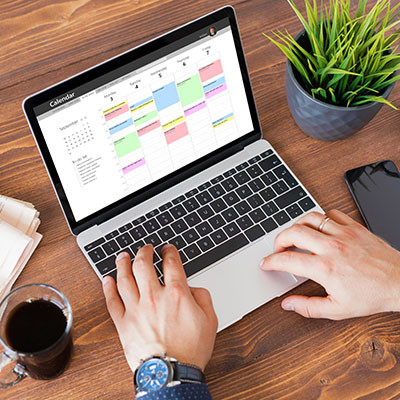
From here, it’s just a matter of setting up your calendar to your liking using the available settings. Now you can set new events to your new calendar, which should be color-coded based on which calendar it finds itself on. You can also toggle to show or hide events from specific calendars now, too, giving you plenty of control over how your day is organized on your calendar.
For more great tips and tricks, be sure to check out our blog.
[ ](https://www.omegatechnicalsolutions.com/javascript:void(0);) [ ](https://www.omegatechnicalsolutions.com/javascript:void(0);) [ ](https://www.omegatechnicalsolutions.com/javascript:void(0);)
Tags:
[Google](https://www.omegatechnicalsolutions.com/blog/tags/google) [Tip of the Week](https://www.omegatechnicalsolutions.com/blog/tags/tip-of-the-week) [How To](https://www.omegatechnicalsolutions.com/blog/tags/how-to-1)
[ What You Need to Understand About Compliance ](https://www.omegatechnicalsolutions.com/blog/what-you-need-to-understand-about-compliance)
[ With Printer Companies Shutting Out 3rd Party Ink,... ](https://www.omegatechnicalsolutions.com/blog/with-printer-companies-shutting-out-3rd-party-ink-you-need-the-means-to-acquire-what-you-need)
About the author
[  ](https://www.omegatechnicalsolutions.com/blog/blogger/steven-holmes)
[Steven Holmes](https://www.omegatechnicalsolutions.com/blog/blogger/steven-holmes)
[ ](https://www.omegatechnicalsolutions.com/javascript:void(0); "Subscribe to updates from author") [ ](https://www.omegatechnicalsolutions.com/javascript:void(0);) [ ](https://www.omegatechnicalsolutions.com/blog/blogger/steven-holmes)
Mr. Holmes is responsible for the structure, strategy and execution of Omega Technical Solutions’ team. He also has an extensive background in designing, engineering, and securing Enterprise and Data Center networks.
Author's recent posts
[More posts from author](https://www.omegatechnicalsolutions.com/blog/blogger/steven-holmes)
[ Saturday, 27 June 2026 How to Actually Make a Quiet Day Work for Your Business ](https://www.omegatechnicalsolutions.com/newsletter-content/how-to-actually-make-a-quiet-day-work-for-your-business)
[ Thursday, 25 June 2026 How to Mix Cloud and Office Servers Without Making Your Employees Miserable ](https://www.omegatechnicalsolutions.com/newsletter-content/how-to-mix-cloud-and-office-servers-without-making-your-employees-miserable)
[ Saturday, 20 June 2026 Why Your Tech Strategy Should Focus on Capability, Not Replacement ](https://www.omegatechnicalsolutions.com/newsletter-content/why-your-tech-strategy-should-focus-on-capability-not-replacement)
Comments
No comments made yet. Be the first to submit a comment
**** Already Registered? [Login Here](https://www.omegatechnicalsolutions.com/component/users/login?return=aHR0cHM6Ly93d3cub21lZ2F0ZWNobmljYWxzb2x1dGlvbnMuY29tL2Jsb2cvdGlwLW9mLXRoZS13ZWVrLWhvdy10by1jcmVhdGUtbXVsdGlwbGUtZ29vZ2xlLWNhbGVuZGFycw==&Itemid=101)
Tuesday, 16 June 2026
Subscribe to the blog (Please fill in your email address to subscribe to updates from this post.)
**Captcha Image**
## Schema
```json
{
"@context": "https://schema.org",
"@type": "BreadcrumbList",
"itemListElement": [
{
"@type": "ListItem",
"position": 1,
"name": "Home",
"item": "https://www.omegatechnicalsolutions.com"
},
{
"@type": "ListItem",
"position": 2,
"name": "Blog",
"item": "https://www.omegatechnicalsolutions.com/blog"
},
{
"@type": "ListItem",
"position": 3,
"name": "Steven Holmes",
"item": "https://www.omegatechnicalsolutions.com/blog/blogger/steven-holmes"
},
{
"@type": "ListItem",
"position": 4,
"name": "Tip of the Week: How to Create Multiple Google Calendars",
"item": "https://www.omegatechnicalsolutions.com/blog/tip-of-the-week-how-to-create-multiple-google-calendars"
}
]
}
```