---
title: "Tip of the Week: How to Select and Place Your Wireless Router"
description: "Learn how to select the best wireless router for your business and optimize its placement for a strong, reliable Wi-Fi connection."
url: "https://www.omegatechnicalsolutions.com/blog/tip-of-the-week-how-to-select-and-place-your-wireless-router"
date: "2026-06-13T19:59:05+00:00"
language: "en-GB"
---
## Omega Technical Solutions Blog
Omega Technical Solutions has been serving the Haymarket area since 2007, providing IT Support such as technical helpdesk support, computer support, and consulting to small and medium-sized businesses.
[ Categories ](https://www.omegatechnicalsolutions.com/blog/categories "Categories")
[ Tags ](https://www.omegatechnicalsolutions.com/blog/tags "Tags")
[ Categories: All Categories ](https://www.omegatechnicalsolutions.com/javascript:void(0); "Categories")
Search...Suggested keywords
[ x ](https://www.omegatechnicalsolutions.com/javascript:void(0);)
# Tip of the Week: How to Select and Place Your Wireless Router
[Omega Technical Solutions Blog](https://www.omegatechnicalsolutions.com/blog/categories/blog) [Tip of the Week](https://www.omegatechnicalsolutions.com/blog/categories/tip-of-the-week)
[Steven Holmes](https://www.omegatechnicalsolutions.com/blog/blogger/steven-holmes)
Monday, 08 September 2025
[ 0 Comments ](https://www.omegatechnicalsolutions.com/blog/tip-of-the-week-how-to-select-and-place-your-wireless-router#comments)
[  ](//www.omegatechnicalsolutions.com/images/easyblog_shared/September_2025/09-08-25/RouterPlacement_1077115948_400.jpg "Tip of the Week: How to Select and Place Your Wireless Router")
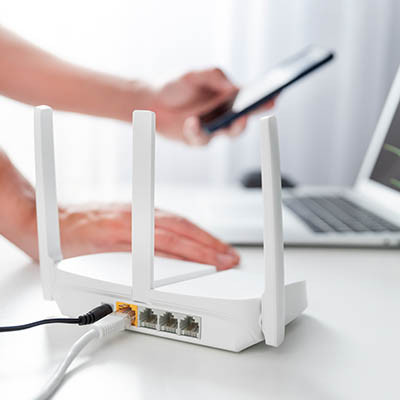
Wi-Fi is everywhere, and only when it’s not available (and you’re in a location where you cannot get cell service) do we realize just how much of a luxury it is to have a solid connection. You can give your team the solid wireless connection it deserves by carefully selecting where you place your organization’s router. Here are a few tips you can consider when placing your office’s wireless router.
## Considering the Modem and Router
First, you’ll want to consider what type of router you’re using in the first place. These days, most Internet service providers will offer you a modem that connects your business to the Internet, and they might even throw in a router with a small rental fee. The idea makes sense—provide one device for both your Internet and Wi-Fi needs—but this option doesn’t cut it for small businesses. Businesses should be purchasing their own modems and routers, along with any other hardware needed, specifically so they have full control over their technology—technology that hopefully addresses the business’ needs.
## Get the Right Router
A good router is well worth the extra money you might spend on it. If you’re in need of some recommendations, we urge you to contact us at COMPANYNAME to determine your business’ needs. However, if you’re shopping for your business on your own, here are some features you should look for:
- **WPA protection** - Security is the name of the game with just about any networking technology you implement. Your router should be equipped with Wi-Fi Protected Access encryption (WPA, WPA2, WPA3). You also want your router to have a robust modern firewall.
- **Multiple band support** - Your router should come with dual-band support so it can connect with all kinds of devices on your network. Some devices only work on specific wireless bands, like 2.4 Ghz, 5.0 Ghz, or even 6.0 Ghz, so be prepared for anything.
- **Multiple LAN and WAN ports** - You’ll want to ensure that you have at least three local area network ports and at least one wide area network port on your router.
- **Virtual private network options** - Encryption contributes to your network security even further, and a built-in VPN goes a long way toward protecting your business.
- **Speed through protocol support** - Make sure your router supports at least the 802.11n protocol, if not 802.11ac protocol, which will be significantly faster, and of course more recent generations of Wi-Fi technology are even faster and more secure.
- **Gigabit ports** - You’ll want to connect certain devices directly into your router, for which we recommend an ethernet connection for the fastest available connection.
## Where to Place Your Router
Once you have the router you need, you’ll then need to get the strongest wireless signal broadcast to your office. We recommend you invest in an appropriate Internet package from your ISP, as that will be the ultimate determining factor for your maximum Internet speed, but you will still want to ensure your router is configured correctly. Here’s how you can get the most speed out of your router:
- **Install your router in a central location** - This is to ensure your router can be accessed by your entire office.
- **Keep it raised off the floor** - We recommend you install your router as high as possible to prevent obstructions to your signal.
- **Keep your router away from other electronics** - Some electronics can interfere with your wireless network’s strength, so try to keep your router somewhat isolated from other devices.
- **Map out the signal before you install your other tech** - Nothing is more annoying than changing a floor plan to accommodate a router’s signal. Map out its strength, then consider extending it with wireless extenders as needed.
For a helping hand with finding the best router and other types of networking technology, be sure to contact us at PHONENUMBER.
[ ](https://www.omegatechnicalsolutions.com/javascript:void(0);) [ ](https://www.omegatechnicalsolutions.com/javascript:void(0);) [ ](https://www.omegatechnicalsolutions.com/javascript:void(0);)
Tags:
[Tip of the Week](https://www.omegatechnicalsolutions.com/blog/tags/tip-of-the-week) [Network](https://www.omegatechnicalsolutions.com/blog/tags/network) [Hardware](https://www.omegatechnicalsolutions.com/blog/tags/hardware)
[ Tech Security Talk: How to Counsel Employees About... ](https://www.omegatechnicalsolutions.com/blog/tech-security-talk-how-to-counsel-employees-about-cyber-risks-without-sounding-alarmist)
[ The Most Powerful Word in Your IT Budget: "No" ](https://www.omegatechnicalsolutions.com/blog/the-most-powerful-word-in-your-it-budget-no)
About the author
[  ](https://www.omegatechnicalsolutions.com/blog/blogger/steven-holmes)
[Steven Holmes](https://www.omegatechnicalsolutions.com/blog/blogger/steven-holmes)
[ ](https://www.omegatechnicalsolutions.com/javascript:void(0); "Subscribe to updates from author") [ ](https://www.omegatechnicalsolutions.com/javascript:void(0);) [ ](https://www.omegatechnicalsolutions.com/blog/blogger/steven-holmes)
Mr. Holmes is responsible for the structure, strategy and execution of Omega Technical Solutions’ team. He also has an extensive background in designing, engineering, and securing Enterprise and Data Center networks.
Author's recent posts
[More posts from author](https://www.omegatechnicalsolutions.com/blog/blogger/steven-holmes)
[ Saturday, 27 June 2026 How to Actually Make a Quiet Day Work for Your Business ](https://www.omegatechnicalsolutions.com/newsletter-content/how-to-actually-make-a-quiet-day-work-for-your-business)
[ Thursday, 25 June 2026 How to Mix Cloud and Office Servers Without Making Your Employees Miserable ](https://www.omegatechnicalsolutions.com/newsletter-content/how-to-mix-cloud-and-office-servers-without-making-your-employees-miserable)
[ Saturday, 20 June 2026 Why Your Tech Strategy Should Focus on Capability, Not Replacement ](https://www.omegatechnicalsolutions.com/newsletter-content/why-your-tech-strategy-should-focus-on-capability-not-replacement)
Comments
No comments made yet. Be the first to submit a comment
**** Already Registered? [Login Here](https://www.omegatechnicalsolutions.com/component/users/login?return=aHR0cHM6Ly93d3cub21lZ2F0ZWNobmljYWxzb2x1dGlvbnMuY29tL2Jsb2cvdGlwLW9mLXRoZS13ZWVrLWhvdy10by1zZWxlY3QtYW5kLXBsYWNlLXlvdXItd2lyZWxlc3Mtcm91dGVy&Itemid=101)
Saturday, 13 June 2026
Subscribe to the blog (Please fill in your email address to subscribe to updates from this post.)
**Captcha Image**
## Schema
```json
{
"@context": "https://schema.org",
"@type": "BreadcrumbList",
"itemListElement": [
{
"@type": "ListItem",
"position": 1,
"name": "Home",
"item": "https://www.omegatechnicalsolutions.com"
},
{
"@type": "ListItem",
"position": 2,
"name": "Blog",
"item": "https://www.omegatechnicalsolutions.com/blog"
},
{
"@type": "ListItem",
"position": 3,
"name": "Steven Holmes",
"item": "https://www.omegatechnicalsolutions.com/blog/blogger/steven-holmes"
},
{
"@type": "ListItem",
"position": 4,
"name": "Tip of the Week: How to Select and Place Your Wireless Router",
"item": "https://www.omegatechnicalsolutions.com/blog/tip-of-the-week-how-to-select-and-place-your-wireless-router"
}
]
}
```