
Send Us An Email
Give us a call
Main: (703) 743-3056
Sales: (800) 674-2586
Support: (800) 674-9025


With its all-purpose functionality really coming to the forefront in the office, your Internet browser is likely one of your most used computer programs. Considering that so much of your time is spent using the Internet, we thought it would make sense to share a few shortcuts to make it more efficient for you.
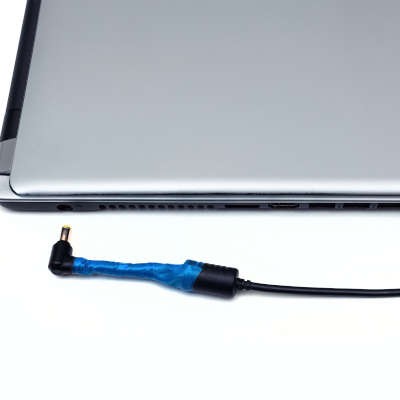
Laptops have proven to be one of the more useful gadgets for businesses and business users. Not only do they hold their own in performance against a desktop, their portability is another consideration that cannot be ignored. However, this portability means that they are at least somewhat reliant on their battery, which begs the question: can they be left plugged in otherwise?
Email is a great tool for businesses to use, but if mismanaged, it can quickly become a major time sink. That’s why we wanted to go over a few ways that you can use your email solution to boost your overall productivity (rather than squander it) in the form of some handy tips.

In uncertain times, one of the most important things for any business to do is to stay the course—albeit in an adjusted fashion. To help, we’ve put together a few key practices to work positively to achieve this end.

As the workers that power many businesses are remaining at home, remote solutions have proven to be a significant tool in keeping productivity moving. However, with nobody going into the office, monitoring your IT environment is necessary to make sure that the infrastructure you depend on is still in the right conditions. For this week’s tip, we’ll discuss some best practices to help you do so.

The world has been turned on its head recently and it has forced the hands of many business owners to make a complete digital transformation of their business. Many businesses have made this transformation previously, but haven’t completely worked out the logistics of it when the stay-at-home orders came down due to the COVID-19 pandemic. Today we will look at four elements of a digital transformation that are extremely useful for your business.

Microsoft’s latest Security Intelligence Report cites phishing attacks as the most prevalent cyberthreat. With the COVID-19 outbreak pushing large numbers of workers to their own homes, it is almost assuredly still the case. As a result, it is extremely important that you and your staff understand how to spot potential phishing attacks and what to do when confronted with an attack. Today, we will provide you some tips on how to identify and remediate such attacks.

In any business, IT-related expenses can be the most volatile, making them unpredictable and prone to swelling unexpectedly. As a result, many businesses are in a lose-lose situation: they can lose potential income by not keeping their essential solutions maintained and up-to-date, and they are prone to more frequent, inflated payments to have their issues resolved as they appear. For today’s tip, we’ll be going over how a managed IT service agreement can put a stop to this.

For many, the Coronavirus has kept them from their workplaces and offices as a precautionary measure to help limit the spread of infection. This has given many the opportunity to work from home for the time being, which can be just as effective as working in the traditional office. Here, we’ve put some tips together to help you make the most of remote work strategies.

While every aspect of your organization’s security is incredibly important to attend to, we wanted to take the time and delve into a particular aspect that many might take for granted: your digital access controls. Let’s go over a few tips and practices to ensure your access controls and policies are optimized.

Notifications are almost ubiquitous in computing nowadays, which is what makes it so surprising that--until just a few years ago--Windows notifications were either nonexistent or (when Windows 8 rolled around) effectively unusable. Fortunately, Windows 10 solved this problem with the Action Center. Let’s go over what the Action Center can do.

Nowadays, efficiency is the name of the game and productivity is almost always in a business’ top priorities. For these goals to be met, your team needs to know what they are doing. This is precisely why it is so important for them to be trained properly. For this week’s tip, we’ll be going over a few training approaches for you to consider adopting as you educate your team.

A smartphone can easily be a very powerful productivity tool, but if you aren’t careful, it can be an equally large distraction in the office. With the right tweaks, you can make one option more likely. Here, we’re sharing a few tips to help you make these tweaks and turn your smartphone into a productivity machine.

Two-step authentication/verification has seen considerable popularity as a means of securing an account. To help you boost the protections surrounding your Microsoft account, we’re offering a few tips on how to use two-step verification, as Microsoft refers to it.

For every business, revenue generation is the name of the game. The more money your company brings in, the more it can spend, the more effective it can be. The problem many small businesses have is that they have a good business model, but they don’t produce enough fast enough to see solid revenue growth. Today, we will provide a few easy tips on how to build operational efficiency, and thus, generate more revenue.

Wi-Fi is one of those interesting technologies: On paper, it’s basically magic, but few things can send people into a rage faster than it not being available, or worse, not being good enough. Its capabilities have made it a great asset to the workplace, but you also need to be sure that you aren’t sacrificing your security to use it. We’ve put together some tips to help you achieve better, safer Wi-Fi.

Your business is bound to collect a sizable cache of data, a significant percentage of which being the kind used to identify someone. This is exactly the kind of data that cybercriminals are looking for, which means it needs to be protected. Here, we’re covering the basics of how you can help secure your data’s integrity against cybercrime.
Now that Windows 7 is history, Windows 10 is the predominant operating system on workstations. It doesn’t take users long to realize that it is superior in many ways to older OSs, but when you start it up for the first time, you will want to customize things a bit so you can most efficiently use the Windows 10 experience. Let’s take a look at three actions you can take that will help you make Windows 10 yours.

How well-maintained are your business’ critical IT solutions? Before you answer, you should know that we’re referring to more than just running the occasional virus scan or update - we’re talking about keeping up on the status of your entire infrastructure. To really do so, we put an assortment of tools and services to use to keep up comprehensive records.
In business, Portable Document Format (PDF) documents are encountered constantly. The benefit is that they are a great way to share and receive documents on any device. One main problem many people run into is that they think that it’s a read-only format. Today, we turn this common misconception on its head by providing some tips on how to better manipulate the PDFs you receive.
Our network assessment will reveal hidden problems, security vulnerabilities, and other issues lurking on your network.
Learn more about what Omega Technical Solutions can do for your business.
Omega Technical Solutions
5501 Merchant View Square Suite 107
Haymarket, Virginia 20169